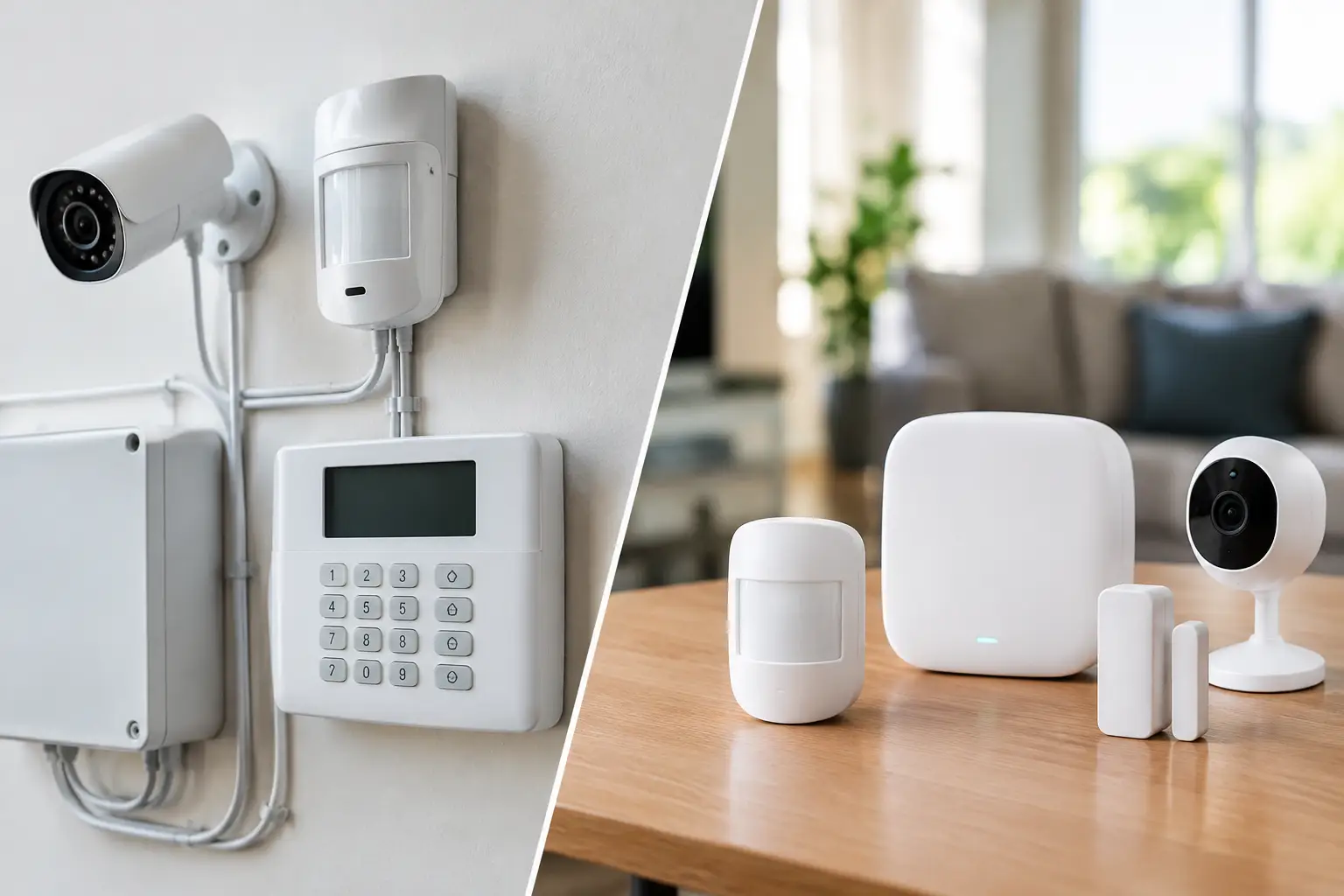
A camera system is only useful when you can find the footage you need. After a package goes missing, an employee reports an incident, or a gate is damaged overnight, the real question becomes simple: where is the video, and can you access it right now? That is the practical difference behind cloud cameras versus DVR systems.
For a home, retail shop, medical office, HOA, or job site, the right answer depends on more than image quality. Internet reliability, retention requirements, privacy expectations, recurring costs, and the number of cameras all affect the decision. A professionally designed system can use cloud storage, local recording, or a mix of both. The goal is dependable evidence without creating another system your staff has to manage.
Cloud Cameras Versus DVR: The Core Difference
Cloud cameras send recorded video to a provider-managed online platform. You typically review live and recorded video through a phone app or web browser, and footage is retained according to the subscription plan you choose. Some cameras record continuously, while others upload clips only when motion, people, vehicles, or other selected events are detected.
A DVR stores video on hard drives at your property. Strictly speaking, DVRs are commonly used with analog or HD-over-coax cameras, while an NVR records video from network IP cameras. Many property owners use “DVR” to mean any local recorder, so the term is often used broadly. In either case, the footage stays on a recorder installed in a closet, office, network rack, or other secure location.
Cloud systems prioritize convenient remote access and less on-site equipment. Local recorders prioritize continuous recording, high camera capacity, and predictable storage costs. Neither approach is automatically better. The best fit comes down to what happens at your property when the internet drops, how long you need to keep footage, and who needs access to it.
When Cloud Cameras Make Sense
Cloud-connected cameras are a strong option for homeowners and smaller operations that want straightforward remote viewing. If you travel often, manage a second home, or want alerts when someone approaches a front door or enters a restricted area, cloud platforms make daily monitoring easy.
They also reduce the need to maintain a recording appliance on-site. There may be no recorder to place, no hard drives to replace, and no need for staff to log into a separate computer to look up an event. For a small office with a few key entrances, this can be a practical advantage.
Cloud search tools can be especially helpful when time matters. Depending on the platform, users may filter events by person, vehicle, motion zone, time, or camera. Instead of watching several hours of footage, you can go directly to activity near a loading door, driveway, or lobby.
The trade-off is recurring cost. Most cloud plans charge per camera, per month, or based on retention length. That can be manageable for two or four cameras, but it adds up quickly across a large property. Upload bandwidth also matters. A system with several high-resolution cameras can place real demand on an internet connection, especially when cameras send continuous video rather than event clips.
Cloud storage also relies on the provider’s service and your internet connection. Many cameras can buffer video locally during a brief outage, but the details vary by model and configuration. It is worth confirming exactly what is retained during an outage, when it uploads, and how much local backup storage is available.
Where DVR and NVR Systems Pull Ahead
A local recorder is often the better choice when continuous coverage and longer retention are priorities. A business with multiple entrances, cash handling areas, parking lots, hallways, or inventory rooms may need 24/7 recording from many cameras. Storing all of that video locally is usually more economical than paying a cloud fee for every stream.
Local recording also keeps working when the internet goes down. Cameras and the recorder communicate over the property’s network or dedicated cabling, so video can continue recording even if remote viewing is temporarily unavailable. Once internet service returns, authorized users can access the system remotely again.
This matters in Las Vegas, where a power event, construction issue, or service interruption should not turn into a gap in video coverage. A properly installed recorder should be placed in a protected location and supported by a battery backup when appropriate. The recorder itself is still a physical device, however, which means it needs adequate ventilation, secure mounting, hard-drive health checks, and occasional service.
DVR and NVR systems can also support higher camera counts and more detailed recording schedules. You can set a camera to record continuously, record only during business hours, increase resolution at a point of sale, or trigger higher-quality recording after motion. These controls help balance storage use with the level of detail needed for each area.
The main drawback is that local systems require thoughtful design. A recorder with too little storage may overwrite footage sooner than expected. A recorder left in an unlocked office can be damaged or taken after a break-in. Cameras connected through weak Wi-Fi may not deliver consistent video to the recorder. These are installation issues, not reasons to avoid local storage, but they need to be addressed from the start.
Costs: Upfront Expense Versus Monthly Fees
Cloud cameras usually have a lower equipment footprint, but the lifetime cost is not always lower. The purchase price may look attractive until you add subscriptions, longer retention periods, and extra cameras. Before choosing a cloud plan, calculate the cost over three to five years, not just the first month.
A DVR or NVR system generally costs more upfront because it includes the recorder, surveillance-grade hard drives, a network switch when needed, cabling, and professional installation. After installation, there may be little or no monthly storage fee. That can make local recording a better value for larger systems.
There is also a middle ground. A hybrid design can record full-resolution video locally while using cloud features for health monitoring, remote notifications, short event clips, or off-site backup of important footage. For many commercial properties, this approach offers stronger continuity without paying to store every second of every camera in the cloud.
Reliability Is More Than Storage Location
A camera can have excellent storage and still miss the moment that matters because of poor placement. A backlit doorway, dark parking lot, camera mounted too high, or lens aimed at the wrong angle can make a recording far less useful. The storage decision should come after a site review, not before it.
For either system type, focus on the full chain: camera placement, wired or wireless connection, power source, network capacity, recorder or cloud settings, user permissions, and backup power. Hardwired cameras are often the most dependable choice for fixed exterior coverage, large homes, offices, and commercial sites. Wi-Fi cameras can work well in targeted locations, but they depend on strong, stable wireless coverage.
Security settings matter too. Use unique passwords, multi-factor authentication where available, limited user access, and regular firmware updates. Do not give every employee administrator access just because they occasionally need to view a camera. A property manager may need access to common areas, while a business owner may need broader access and an IT provider may only need service-level credentials.
Privacy, Retention, and Access Planning
For businesses, cameras should support operations without becoming a privacy or compliance problem. Medical facilities, professional offices, and residential communities need clear rules about who can view footage, how long it is retained, and where cameras are permitted. Avoid recording areas where privacy is expected, and make sure audio recording is evaluated carefully under applicable rules.
Retention should be based on risk, not guesswork. A homeowner may be comfortable with 14 or 30 days. A retail business may need 30 to 90 days to investigate chargebacks, theft, or incidents reported after the fact. An HOA may need enough time to respond to resident concerns, while also limiting unnecessary access to community footage.
Before installation, answer four practical questions: How many days of footage do you need? Do you need continuous video or motion-based clips? Who needs live and recorded access? What should happen during an internet or power outage? Those answers will point clearly toward cloud, local, or hybrid storage.
Choosing the Right System for Your Property
Choose cloud cameras when simplicity, mobile alerts, and easy remote access matter most, especially for a small number of cameras. Choose a DVR or NVR when you need continuous recording, many cameras, longer retention, or dependable local recording during internet interruptions. Consider hybrid storage when you want local control plus selected off-site backup and remote management features.
The best system is not the one with the longest feature list. It is the one that captures usable video, stores it for the right length of time, and stays manageable after installation. Las Vegas Tech Pros can evaluate camera placement, cabling, network capacity, storage needs, and remote access as one connected system, so your coverage works when you need it most.
A short on-site review can prevent costly surprises later. Start with the areas you truly need to protect, the footage you may need to retrieve, and the conditions that could interrupt recording. From there, the right storage plan becomes much easier to choose.