A property that has weak Wi-Fi in one wing, cameras that do not talk to the network, HVAC controls on a separate app, and access doors managed by another vendor is not really smart – it is just crowded with technology. This smart building technology guide is built for owners, property managers, builders, and business operators who want systems that work together, stay supportable, and solve real problems.
In Las Vegas, that matters even more. Heat, large footprints, mixed-use properties, tenant turnover, and round-the-clock operations can expose every weak point in your infrastructure. Smart building technology should reduce friction, not create more of it.
What smart building technology actually means
At a practical level, smart building technology is the combination of connected systems that help a property run better. That usually includes networking, Wi-Fi, surveillance, access control, audiovisual systems, sensors, structured cabling, and automation tied to lighting, climate, occupancy, or alerts.
The goal is not to add gadgets. The goal is to improve visibility and control. A smart building gives you faster response to issues, better security, more stable connectivity, and fewer blind spots in daily operations. For a homeowner, that might mean strong whole-home Wi-Fi, remote camera access, and smarter climate control. For a medical office or commercial property, it might mean controlled entry, segmented networks, reliable cabling, and monitoring that helps staff stay focused on the job.
That said, not every building needs the same stack. A small office has different priorities than a gated community clubhouse. A custom home has different needs than a retail plaza. Good planning starts with use case, not hype.
Smart building technology guide: start with the infrastructure
If the cabling is poorly planned or the network is unstable, every smart feature on top of it becomes harder to trust. That is why infrastructure comes first.
Structured cabling is the backbone. It supports cameras, wireless access points, smart TVs, access control panels, conference room systems, and more. In many buildings, the most expensive mistakes happen behind the walls – too few cable drops, poor labeling, weak pathways, or no room for future expansion. Fixing that later is far more disruptive than getting it right during the build or remodel stage.
Networking is just as critical. Smart devices rely on dependable wired and wireless performance. If staff cannot connect in certain areas, if cameras drop offline, or if smart locks lag, the issue is often not the device itself. It is the network design. Coverage, bandwidth planning, switch capacity, firewall setup, and device segmentation all matter.
This is where owners often run into a trade-off. A low upfront cost can look attractive, but cheap hardware and rushed installation tend to show up later as service calls, dead zones, outages, and finger-pointing between vendors. A smarter approach is to build for reliability first, then layer in features.
The systems most buildings should evaluate
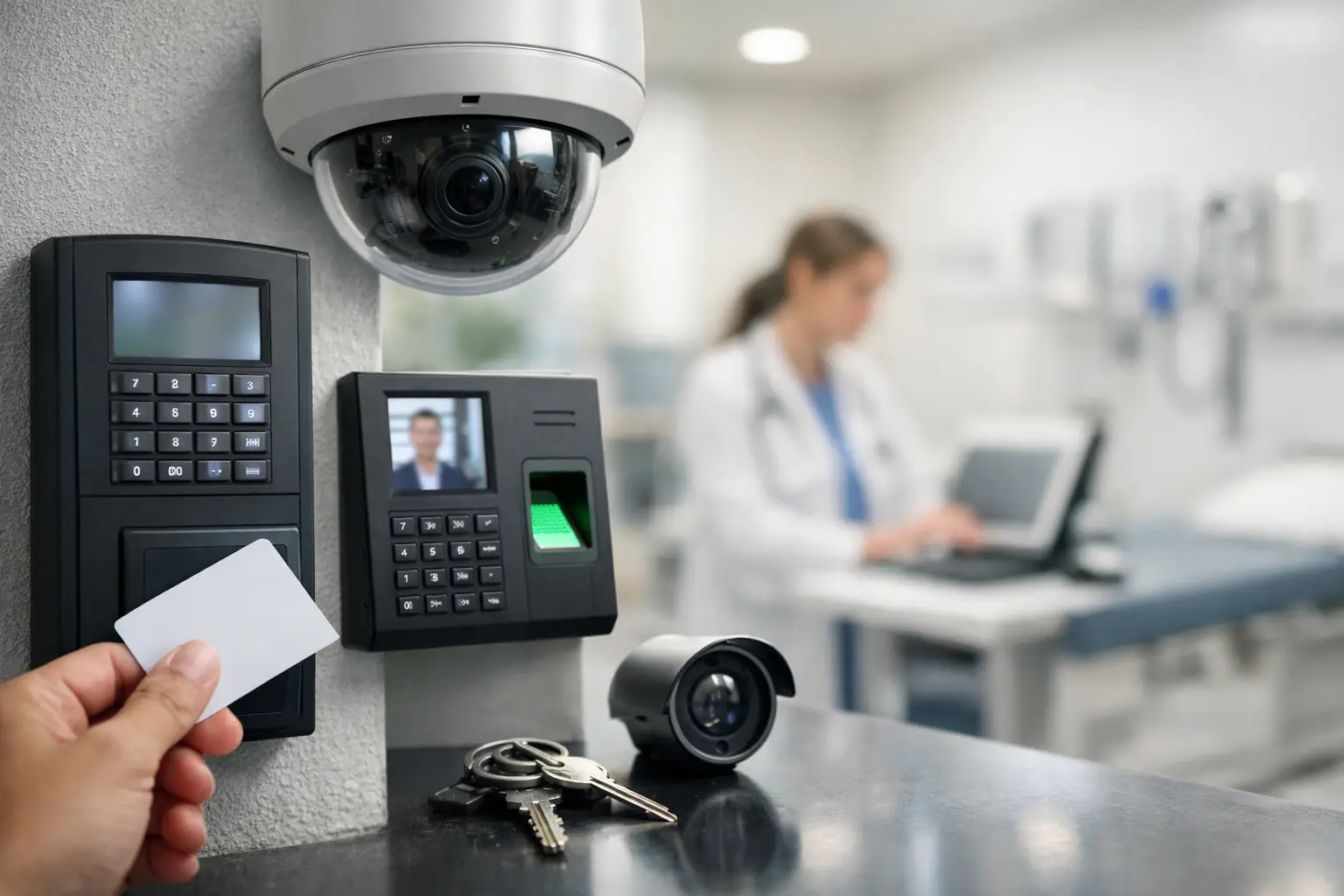
Security and surveillance are usually near the top of the list. Modern camera systems can do far more than record footage. They can provide remote viewing, motion-based alerts, better coverage of entry points, and easier review when incidents happen. But camera count alone does not equal protection. Placement, retention, lighting conditions, and network performance all affect results.
Access control is another major piece. For offices, medical facilities, HOAs, and commercial buildings, controlled entry helps you manage who gets in, when, and with what credentials. It can also simplify employee turnover and vendor access. Instead of chasing keys, you can update permissions quickly. The main question is how much control you need. A single front door system is very different from a multi-door property with schedules, audit trails, and remote management.
Wi-Fi and internet reliability deserve equal attention. Many properties install smart devices without addressing coverage gaps first. Then the complaints begin – buffering in common areas, dead spots in upstairs rooms, conference calls dropping, or sensors going offline. Professional Wi-Fi design is not just about adding more access points. Too many can create interference. Placement and configuration matter.
AV systems also belong in the conversation when they support the way the space is used. In homes, that may mean distributed audio, theater rooms, or clean TV mounting with hidden wiring. In commercial settings, it could mean conference room displays, digital signage, or audio systems for shared spaces. The value is not in having more screens. It is in making those systems easy to use and easy to support.
Where automation helps most
Automation works best when it removes repetitive tasks or improves response time. Lighting schedules, occupancy-based adjustments, after-hours alerts, automatic door events, and climate controls are common examples.
For business properties, automation can reduce wasted energy and tighten security procedures. If a building knows when rooms are occupied, when doors are opened, or when a zone should be armed, staff spend less time chasing manual tasks. For residential properties, automation often centers on comfort and peace of mind – lighting scenes, thermostat adjustments, camera notifications, and integrated control from one interface.
Still, more automation is not always better. Overcomplicated setups can frustrate users and increase support needs. The best systems are the ones people actually use without thinking twice.
Common mistakes that make smart buildings harder to manage
One of the biggest mistakes is hiring separate vendors for each category without a clear integration plan. The camera installer blames the network. The IT provider was not part of the access control setup. The AV company needs cabling changes after construction is complete. Suddenly the owner is acting as project manager, support desk, and referee.
Another common issue is buying around a short-term need. A property solves one immediate problem, like adding a few cameras or extending Wi-Fi to one area, without looking at long-term growth. That can leave you with mismatched equipment, limited expansion, and duplicate labor later.
There is also the temptation to manage critical systems through consumer-grade devices in commercial environments. That sometimes works for a while, but reliability, security, and support often fall short once usage increases. A vacation rental, busy office, or multi-tenant property needs a different level of planning than a basic plug-and-play setup.
How to plan a smart building rollout
Start with the pain points. Are you dealing with security concerns, weak connectivity, poor visibility into entry activity, tenant complaints, or systems that no one knows how to troubleshoot? Those problems should drive the design.
Next, identify the spaces that matter most. Entry points, server or telecom rooms, high-traffic hallways, conference rooms, lobbies, outdoor areas, and Wi-Fi trouble spots usually deserve early attention. Then decide what needs to be connected now and what should be ready for later. Future-ready cabling and rack space can save a lot of money down the road.
A phased rollout often makes sense. You do not need to automate everything at once. Many properties start with the backbone – cabling, switching, Wi-Fi, and security – then expand into access control, AV, and additional automation once the foundation is stable.
For many clients, working with one partner across IT, low-voltage, surveillance, Wi-Fi, and AV reduces delays and miscommunication. That is especially helpful when uptime matters or the building cannot afford repeated site visits from different contractors. Las Vegas Tech Pros often steps into exactly that role, helping clients avoid patchwork systems and get support from a team that sees the whole picture.
Smart building technology guide for different property types
For homeowners, the priority is usually convenience, security, and better coverage. Strong Wi-Fi, camera systems, door access options, smart lighting, and entertainment integration make the biggest impact when they are simple to control and reliable every day.
For HOAs and multifamily properties, common concerns include gate or door access, common-area surveillance, network coverage in shared spaces, and systems that can be managed without constant hand-holding. Durability and service response matter as much as features.
For small businesses and medical facilities, reliability is the main issue. Downtime costs money. Poor access control creates risk. Bad Wi-Fi disrupts staff and guests. Here, smart building technology needs to support operations, compliance needs, and accountability.
For builders and developers, the focus should be on planning pathways, power, rack locations, cable routes, and future system growth before walls close up. The cheapest time to plan smart infrastructure is before the finish work is done.
What to ask before you invest
Ask whether the system can scale, how it will be supported, who owns the configuration, and what happens when a device fails. Ask whether the network is designed for the device load, whether the cabling is labeled and documented, and whether remote support is available when something stops working.
Most of all, ask whether the setup will make life easier six months from now. Smart building technology should help your property run with fewer surprises. If it adds complexity without solving a clear problem, it needs another look.
The right setup is rarely the flashiest one. It is the one that fits the building, the people using it, and the level of support you can count on when it matters.