If your video calls keep freezing in the back office, or your streaming drops the moment you walk into the bedroom, you do not need a lecture about networking theory. You need to know how to fix weak wifi signal fast, without wasting money on the wrong equipment or moving things around at random. In most homes and small businesses, weak Wi-Fi comes down to placement, interference, outdated hardware, or a network that was never designed for the space in the first place.
The good news is that many Wi-Fi problems are fixable. The catch is that the right fix depends on why the signal is weak. A two-story home in Summerlin, a medical office with concrete walls, and a retail suite with back rooms all have different challenges. That is why guessing often leads to more frustration.
How to fix weak wifi signal without replacing everything
Start with the router location. This is the most common issue, and it is often overlooked because the router was installed wherever the internet provider found it convenient. If your router is in a closet, behind a TV, inside a cabinet, or tucked into a corner of the building, the signal is already fighting an uphill battle.
Wi-Fi performs best when the router is placed in a more central, open area. Elevation helps too. Setting it on a shelf or mounted higher on a wall usually works better than leaving it on the floor. If most of your dead zones are on one side of the property, moving the router even 10 to 20 feet can make a noticeable difference.
Interference is the next thing to check. Wi-Fi shares space with a lot of other devices, especially on the 2.4 GHz band. Microwaves, cordless phones, baby monitors, Bluetooth devices, and even neighboring networks can interfere with signal quality. In condos, office suites, and dense neighborhoods, this matters more than many people realize.
If your router supports both 2.4 GHz and 5 GHz, test both. The 2.4 GHz band usually travels farther, but it is more crowded and slower. The 5 GHz band is faster and often cleaner, but it does not reach as far and struggles more with walls. That trade-off matters. A laptop in the same room as the router may perform best on 5 GHz, while a smart device across the house may stay more stable on 2.4 GHz.
Restarting the network is also worth doing, but only as a first step, not a long-term solution. Power cycle the modem and router, then test again. If performance improves for a day and then drops back off, you are likely dealing with a bigger issue such as hardware limitations, channel congestion, or a failing device.
Check whether the problem is signal, speed, or capacity
People often say they have bad Wi-Fi when the issue is actually slow internet service or too many devices competing for bandwidth. Those are different problems, and they need different fixes.
A weak signal usually shows up in certain parts of the property. You may get solid performance near the router and poor performance farther away. Slow internet service, on the other hand, affects the whole building. If every device feels sluggish, even when standing next to the router, test the incoming internet speed first.
Capacity problems are common in busy homes and offices. If you have smart TVs, cameras, tablets, gaming consoles, laptops, phones, smart thermostats, and doorbells all on one network, the router may simply be overloaded. This is especially true with entry-level equipment supplied by internet providers. Those units are convenient, but they are not always built to handle larger homes, multiple users, or business traffic.
That is where better network design matters more than just buying a random booster online. The right hardware can help, but only if it matches the layout, device count, and usage demands of the space.
When extenders help – and when they do not
Wi-Fi extenders can be useful, but they are not magic. If the extender is placed in an area where the existing signal is already weak, it just repeats a poor connection. That is why some people install an extender and see little improvement.
For an extender to work well, it needs to be installed where it still receives a strong signal from the main router. Then it can push coverage farther into the weak zone. This can be a reasonable solution for a single trouble spot, such as a guest room, patio, or detached office with light usage.
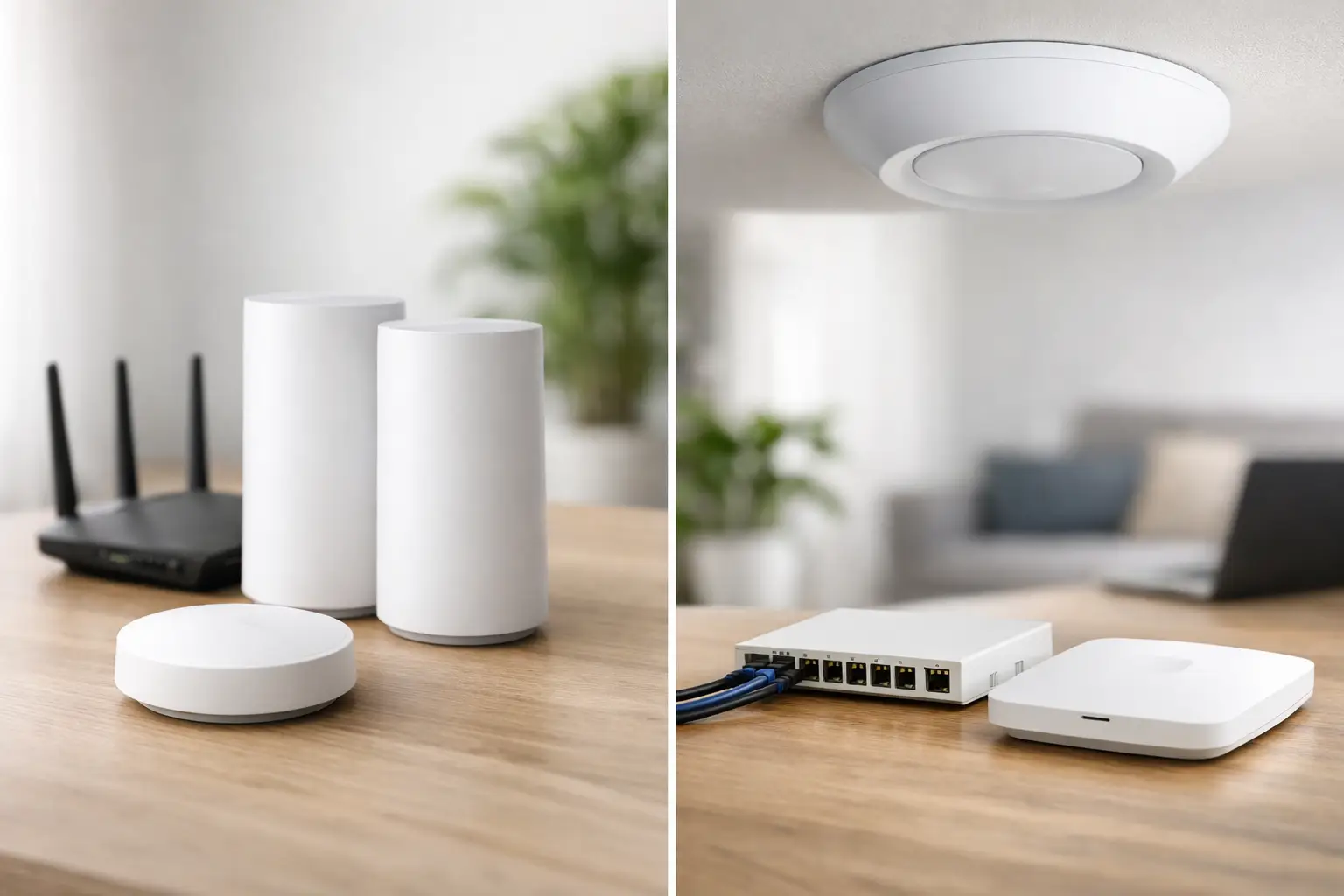
If you have multiple dead zones, a large floor plan, thick walls, or multiple stories, a mesh Wi-Fi system is usually the better fit. Mesh systems are designed to create broader, more consistent coverage using multiple access points. They are often a better answer for larger homes, HOAs, and business spaces where one router cannot realistically do the job.
Even then, placement is everything. A high-end mesh system installed in the wrong spots will still underperform. This is one reason professionally planned Wi-Fi setups tend to outperform DIY installs, even when using similar hardware.
How to fix weak wifi signal in larger homes and commercial spaces
In larger properties, the issue is often not the internet service itself. It is the building. Stucco, concrete, tile, metal framing, glass, and low-voltage equipment can all affect wireless performance. In commercial spaces, you also have added complexity from security systems, VoIP phones, printers, access points, and segmented networks.
That is why a single-router setup often falls short. If coverage needs to reach multiple bedrooms, outdoor areas, conference rooms, exam rooms, or back-of-house work areas, the better fix is usually structured Wi-Fi planning. That may include multiple wired access points, proper cable runs, and network equipment configured for the actual environment.
This approach costs more upfront than buying a plug-in extender, but it usually delivers far better reliability. It also avoids the common cycle of replacing equipment piece by piece without ever solving the real issue.
For businesses, reliability matters more than convenience. Dropped connections affect phones, payment systems, cloud applications, and staff productivity. For homeowners, weak Wi-Fi affects security cameras, streaming, smart home devices, and everyday comfort. In both cases, the cheapest fix is not always the most practical one.
Common mistakes people make when trying to fix weak Wi-Fi
One mistake is assuming newer always means better. Replacing a router can help, but not if the real problem is poor placement or a bad layout for wireless coverage. Another mistake is stacking network hardware near other electronics, which increases interference and heat.
People also tend to ignore firmware updates. Routers, mesh systems, and access points need updates for performance and security. If your equipment is years out of date, that alone can create stability issues.
Another common problem is relying entirely on wireless where wired connections would be smarter. Devices like desktop computers, streaming boxes, gaming consoles, and business workstations often perform better on Ethernet. Every device moved off Wi-Fi frees up wireless capacity for phones, tablets, and mobile equipment.
And then there is the provider equipment issue. ISP gateways are fine for some smaller spaces, but they are often underpowered for larger homes or business networks. If your setup has grown over time, your original router may simply no longer fit your needs.
When to stop troubleshooting and call for help
If you have already moved the router, restarted the system, tested both bands, and still have dead zones or unstable performance, the next step is not more guessing. It is identifying the actual bottleneck.
That may mean checking signal strength in different rooms, reviewing channel congestion, testing wired versus wireless speeds, or evaluating whether the network needs additional access points. In some cases, the fix is simple. In others, the building needs a more deliberate network design with low-voltage cabling and properly placed hardware.
For Las Vegas property owners and businesses, local conditions matter too. Larger custom homes, concrete construction, detached structures, and commercial suites often need more than off-the-shelf gear to get dependable coverage. A hands-on service team can assess the layout, install the right equipment, and make sure the network works where you actually need it – not just near the router.
If you are tired of resetting the network, moving extenders around, or hearing people complain about dropped connections, the best next step is a proper Wi-Fi evaluation. Sometimes the fix is small. Sometimes it is a better system. Either way, a stable connection should not be a daily battle.